
Best Online Photo Proofing Software for Wedding Photographers
Introduction: Why online photo proofing matters for wedding photographers
Are you losing time and clients to messy approvals and scattered feedback? This guide shows how a focused proofing workflow turns approval chaos into a smooth, sellable experience. You’ll learn practical steps to save hours, avoid repeat edits, and present a polished client experience that boosts referrals.
Common approval headaches (back-and-forth emails, lost edits)
The biggest pain is fragmented feedback across emails, texts, and social DMs. Clients comment in different places, you miss requests, and edits get duplicated.
- Missed instructions and version confusion.
- Long email threads with vague pointers like “make this brighter.”
- Clients losing links or struggling to download full-res files.

How proofing saves time and increases revenue
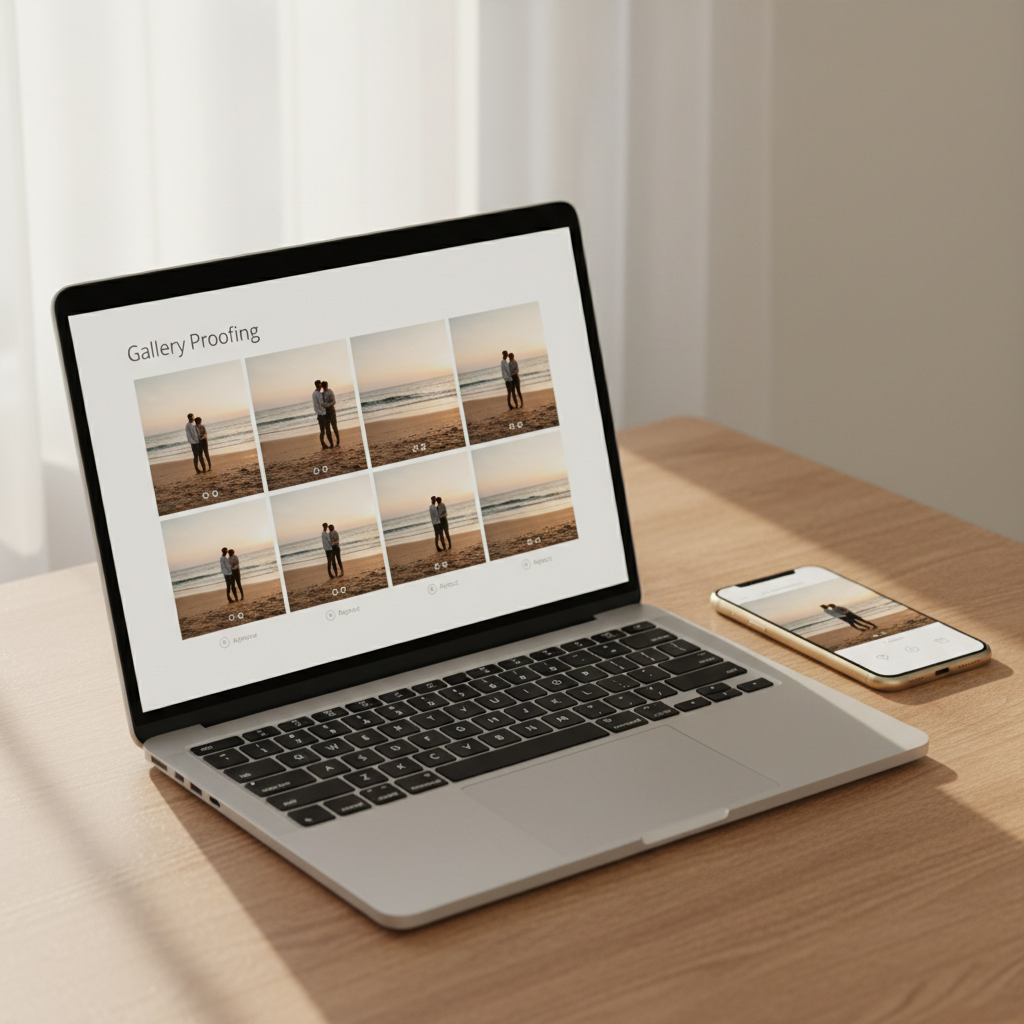
Centralized proofing cuts revision cycles and reduces re-shoots. Use client gallery proofing and image annotation tools so clients mark exactly what they want—no guesswork.
Proofing tools speed decisions and let you sell add-ons during the approval process. Faster approvals mean you deliver galleries sooner, take more bookings, and convert more print or album upgrades through clear in-gallery purchase options. Implement a simple workflow:
- Upload select images to a private gallery.
- Ask clients to annotate and pick favorites.
- Deliver final edits and upsell prints or albums.
Centralize feedback in one annotated gallery and you eliminate most back-and-forth, speed delivery, and create a natural pathway to sell prints and albums.
What this guide covers and how to use it
This guide compares top online photo proofing platforms, highlights must-have features, and shows a day-to-day workflow you can copy. Read the feature breakdown if you want quick vendor picks; follow the workflow section if you prefer a plug-and-play system.
Start by testing one gallery with a current client. Track time saved and conversion on upgrades, then optimize settings based on real feedback.
Key features to look for in online photo proofing software
Client galleries and branding options
Choose a proofing platform that lets you present images in a polished client gallery. White-labeling, custom domains, and gallery themes keep your brand front-and-center and set client expectations. Look for private/passworded galleries, expiry dates, and downloadable ZIP options to match different package deliveries.
Annotation and timestamped comments
Precise feedback depends on image annotation and timestamped comments. Pixel-level markup, threaded replies, and video frame comments keep edits clear and reduce back-and-forth. Make sure the tool records who commented and when so you can track changes across rounds.
Require clients to point and comment on specific spots — it cuts revision time dramatically and preserves context for your retouching.
Approval and selection workflows (pick/decline/ratings)
You need flexible approval workflow options that match how you shoot and deliver. Support for picks/declines, star ratings, batch selection, and deadline-based auto-closing speeds up client photo approvals. Useful workflow features:
- Pick/decline and star or color-tag selections
- Batch actions and export-ready contact sheets
- Deadline reminders, approval locks, and revision requests
Watermarking, download controls, and file delivery
Protect your work and control access with robust watermarking and download settings. Per-gallery or per-image watermarks, download size options (web vs full-res), and expiring share links help you manage licensing and sales. Integrated online gallery delivery that handles original files, print-ready JPEGs, and zip downloads keeps client handoffs smooth.
Integrations: CRM, invoicing, and editing apps
Tight integrations speed up your entire wedding photographer workflow. Look for CRM and invoicing connections so client selections can trigger invoices or album orders, plus Lightroom/Photoshop or DNG export hooks for fast edits. Zapier or API access helps automate confirmations, backups, and client-notifications.
Mobile experience for clients
A great mobile UX converts browsing into decisions—make sure galleries look and work perfectly on phones. Responsive galleries, simple one-tap approve/decline buttons, in-app or SMS notifications, and offline viewing keep non-technical clients engaged and returning feedback quickly.
How online proofing improves your wedding workflow
Faster client selection and clearer feedback loops
You get faster selections when clients choose favorites directly in the gallery. Using online photo proofing cuts back email chains—clients mark picks, you receive a consolidated list ready for culling or editing. That single-source feedback removes guesswork and speeds your delivery calendar.
Follow a simple 3-step client flow to save time:
- Upload to your gallery and set selection rules.
- Clients mark favorites and add notes.
- You export selections and start edits immediately.
Reducing re-edit rounds and missed change requests
You reduce re-edit rounds by letting clients annotate exact spots on images. image annotation tools let clients draw, zoom, and label retouch requests so you never interpret vague emails. Clear visual notes mean fewer surprise revisions and tighter schedules.
You save both hours and client frustration because edits target the right pixels the first time. That leads to faster sign-off and fewer back-and-forths.
One clear annotation or a single approved gallery cuts days from post-production by eliminating ambiguity and unnecessary edits.
Streamlined client communication and contracts
You centralize communication so everything lives with the photos, not across apps. Integrated messaging, automated reminders, and e-signature contracts create a single point of truth for approvals and scope changes. Those client feedback tools keep deadlines visible and reduce missed requests.
You also reduce admin time by automating common tasks like reminders for selections and payment links tied to approvals. That means more time shooting and less time chasing logistics.
Using proofing to upsell albums and prints
You increase sales by turning client gallery proofing into a shopping moment. When clients review favorites, present print options, album layouts, and pricing within the same gallery to capture impulse purchases. Tying ordering to selections makes upgrades feel natural and frictionless.
Practical upsell tactics:
- Offer pre-built album templates based on top picks.
- Enable direct print orders from a client’s favorites.
- Bundle retouch credits with faster client photo approvals.
- Use professional previews in online gallery delivery to showcase final products.
You’ll find proofing converts reviews into decisions — faster edits, fewer mistakes, and clear revenue opportunities for your wedding photographer workflow.
Top online photo proofing software for wedding photographers (comparisons)
like.photos — overview
like.photos focuses on fast, intuitive proofing so you spend less time chasing feedback. Its interface streamlines client gallery proofing and keeps files organized alongside client metadata. The tool integrates with common delivery methods to simplify online gallery delivery and gallery expirations.
Standout features:
- Fast in-browser viewing and batch download for clients.
- Clear image annotation tools for pinpoint feedback.
- Checkbox-based selections and timed guest links for secure reviews.
Best for: Wedding photographers who want a lightweight, client-friendly proofing tool that speeds client photo approvals.
Pixieset — overview
Pixieset combines gallery delivery and sales with robust proofing options to manage both previews and purchases. It’s built to handle high-volume delivery without complicating your wedding photographer workflow.
Standout features:
- Branded client galleries and integrated print sales.
- Simple selections and comment threads for client feedback tools.
- Mobile-first gallery experience for on-the-go clients.
Best for: Photographers who need proofing plus storefront and polished client presentation.
ShootProof — overview
ShootProof emphasizes client onboarding, contracts, and ordering alongside proofing so you can centralize admin. It keeps client approvals and order flow tight from proof to print.
Standout features:
- Integrated invoices, contracts, and print order management.
- Clear approval toggles and delivery options per gallery.
- Simple export pipelines to labs and apps.
Best for: Photographers who want end-to-end client management with proofing at the center.
Pic-Time — overview
Pic-Time focuses on marketing and client conversion in addition to proofing, offering upsell tools and automated emails. It’s ideal if you want proofing that doubles as a revenue channel.
Standout features:
- Automated marketing workflows tied to client galleries.
- Elegant presentation templates and sales analytics.
- Flexible client photo approvals and timed promotions.
Best for: Photographers who want proofing plus marketing and sales features.
Choose the platform that matches your busiest bottleneck — whether approvals, delivery, or sales — because streamlined proofing removes hours from your post-wedding workflow.
Quick comparison table: price tiers, standout pros, ideal use-case
| Tool | Price tiers | Standout pros | Ideal use-case | |---|---:|---|---| | like.photos | Free + paid tiers | Fast proofing, simple annotations | Quick client approvals | | Pixieset | Free → Pro plans | Branded galleries, sales | Presentation + delivery | | ShootProof | Starter → Business | Contracts + print orders | End-to-end client management | | Pic-Time | Free → Advanced | Marketing automations | Monetize galleries and upsells |
How to choose the right tool for your business
Assess your volume and client load
Start by measuring your average shoot volume and busiest months. This determines required storage, concurrency limits, and the kind of client gallery proofing you need for consistent turnaround.
Calculate these numbers:
- Average weddings per year and peak-month booking count.
- Typical images delivered per wedding and average proofing sets per client.
- Concurrent active galleries during busiest weeks.
Prioritize client experience vs. admin features
Decide whether a polished client experience or backend efficiency matters more to your brand today. High-touch clients value branded galleries, mobile-friendly proofing, and simple approval flows.
If admin time is your bottleneck, prioritize automated delivery, bulk actions, and strong user roles.
- Client-facing wins: white-label galleries, easy one-click approvals, image annotation tools.
- Admin-facing wins: batch exports, auto-tagging, custom workflows, team permissions.
Match the tool to the pain you feel most — choose client-facing features if you win referrals, or admin automation if you need time back.
Budget considerations and pricing models
Match pricing to predictable costs and growth plans rather than the cheapest headline rate. Look for pricing that aligns with your shoot cadence: per-gallery, per-image, or flat monthly/annual plans each suit different businesses.
Consider hidden costs like extra storage, extra users, or premium integrations when comparing vendors.
- Per-gallery: good for low-volume shooters.
- Per-image/storage: scales with high-resolution deliverables.
- Flat subscription: best for stable monthly workflows and teams.
Integration needs (Lightroom, Google Drive, CRM)
Map your existing tools and require two-way syncing where it saves time. Check for native Lightroom plugins, Google Drive sync, CRM/booking integrations, and Zapier or API support to automate delivery and invoicing.
Prioritize integrations that remove repetitive uploads or manual linking between galleries and client records.
- Must-haves: Lightroom export, calendar/CRM hooks, cloud storage sync.
- Nice-to-haves: Zapier, API, billing or contract automation.
Scalability: from solo to studio teams
Choose software built for the next stage of your business, not just today. Look for team accounts, role-based permissions, shared asset libraries, and audit logs so you can add shooters without reworking processes.
Confirm the vendor’s limits on users, storage, and galleries so you won’t face sudden migration mid-season.
- Scaling features: user roles, branded sub-accounts, centralized billing, API access.
Setup, onboarding, and best practices
Initial setup checklist (branding, contracts, default galleries)
Start by branding your account so galleries feel like your studio. Upload logo, set colors, and add a welcome message to every gallery for consistent client experience.
Prepare contract and price links and attach them to booking confirmations to reduce back-and-forth.
Create default galleries and delivery presets (compression, watermark, expiry) to save time each job.
- Add studio branding (logo, colors)
- Link contracts and retainer invoices
- Create gallery templates for proofs, final delivery, and archives
- Set default image sizes, download rights, and expiry dates
Onboarding email and client instructions template
Lead with a one-sentence purpose so clients know what you need right away. Give step-by-step actions: how to view, use image annotation tools, mark favorites, and submit final selects. Keep language simple and link to the gallery and a short how-to video.
Subject: Your wedding gallery is ready — quick steps to approve photos
- Open your gallery: [gallery link]
- Use the heart/star to pick favorites and the comment tool for edits.
- Hit “Approve” on final selects for prints/album ordering.
- Questions? Reply here or schedule a call: [link]
Clear, step-by-step onboarding that shows exactly where to click reduces revision rounds and speeds up client photo approvals.
Workflow templates for engagement, full wedding, and mini sessions
Map each shoot to a repeatable flow so your wedding photographer workflow stays predictable. Use these 3 workflows as starting points and tweak for your style.
- Engagement — Upload 30–60 images, enable client gallery proofing, request 5–10 favorites, deliver edited files within 7 days.
- Full wedding — Upload selects in two batches (ceremony + reception). Use image annotation tools for client feedback on album design. Set final approval deadline 3 weeks post-event.
- Mini session — Upload rapid proofs (24–48 hours), limit choices to 5 per client, offer expedited edits for a fee.
Tips for faster uploads and organizing originals vs. proofs
Use batch export presets from your catalog to speed uploads and reduce manual work. Upload during low-traffic hours and enable multi-part/background uploads if your software supports it.
Label and store originals vs proofs separately: keep RAW/edited masters in cloud archive and upload web-sized proofs for client review to protect quality and speed.
Managing revisions and archiving completed jobs
Require a single final approval action to avoid endless rounds; summarize requested revisions in one follow-up message. Use client feedback tools to pin comments to specific images and export revision lists for your editing queue.
Archive completed jobs automatically after the download window closes and keep a 1–2 year offsite backup for delivery requests. This keeps your library tidy and searchable for repeats or anniversaries.
Pricing, ROI, and measuring success
Common pricing models (per user, per gallery, storage-based)
Most proofing platforms charge via three models: per-user, per-gallery, or storage-based.
Per-user plans favor studios with multiple editors but can get expensive as your team grows.
Per-gallery pricing works well for solo shooters who deliver many weddings and want predictable per-job costs.
Storage-based tiers make sense if you keep full-resolution archives in the cloud long-term.
- Per-user: predictable for teams, can include collaboration features.
- Per-gallery: predictable per-job cost, easy to budget.
- Storage-based: scales with archive size, watch for egress/download fees.
Estimating time saved and revenue impact
Start with a simple math formula to estimate ROI: multiply hours saved per wedding by your hourly rate, then add incremental revenue from faster delivery or higher upsells.
Track a small sample of weddings to get baseline numbers: average proofing time now vs. after using the tool.
Factor in indirect gains like fewer revision emails, faster full-gallery delivery, and better client experience that increases referrals.
If a tool saves you just 2 hours per wedding and lets you book one extra wedding a year, it will often cover its annual cost — plus improve client satisfaction.
Quick steps to calculate ROI:
- Record current hours spent on proofing per job.
- Estimate hours after adopting the tool.
- Multiply time saved by your hourly value and annual job count.
- Add expected revenue from extra bookings or upsells.
Key metrics: approval time, revision rounds, upsell rate
Track approval time as the average hours/days from gallery delivery to first client sign-off. Faster approval equals faster final delivery and happier clients.
Measure average revision rounds per gallery to see if your workflow or templates need improvement; fewer rounds means less rework.
Monitor upsell rate (percentage of clients who buy prints, albums, or upgrades) to quantify revenue lift tied to the proofing experience.
Also watch gallery open rate, comment frequency, and time-to-first-comment as leading indicators.
When to upgrade plans or switch vendors
Upgrade when you consistently hit storage, gallery, or user limits, or when add-ons (branding, integrations) unlock measurable revenue gains.
Consider switching if uptime/support is poor, pricing escalates unfairly, or another vendor offers essential features you need (payments, gallery delivery speed, image annotation tools).
Make decisions based on tracked metrics and your ROI calculation, not feature FOMO.
For the next step in this workflow, read Pic-Time vs ShootProof: Which Is Better for Simple Client Proofing? and Pixieset Alternatives: Lightweight Proofing Tools.
Conclusion and next steps (soft CTA)
Quick recap: features that matter most for weddings
Focus on speed and clarity first — the features that reduce back-and-forth save the most time on wedding days. Choose tools that prioritize online photo proofing, fast delivery, and simple client actions so couples can respond quickly. Look for smooth mobile behavior and reliable exports to keep your editing queue moving.
- Fast delivery and mobile-friendly client gallery proofing
- Clear image annotation tools for precise retouch notes
- Easy sharing and secure galleries that speed client photo approvals
- Exportable filenames and metadata to tie directly into your workflow
The fastest way to pick the right tool is to run a real shoot and let an actual couple use it — their behavior reveals the true winners faster than any spec sheet.
Recommended next steps: test 2-3 tools with a real client
Run short, side-by-side trials on the next two weddings or engagement sessions you shoot. Give each client the same brief and ask for specific deliverables (favorites, retouch requests, final approval).
- Set up two tools with identical galleries and timelines.
- Invite the same client to both and record time-to-first-response.
- Ask for feedback on ease-of-use and clarity of annotations.
- Compare how each tool outputs filenames and integrates with your editor.
Try like.photos: free trial/demo and where it fits your workflow
Use a trial or demo to confirm the tool matches how you actually work, not just how it looks on paper. Evaluate whether clients can easily mark favorites, leave clear notes, and whether filenames map to your editing system.
- Client favorites (hearts) for quick album culling
- Exact filenames in exports for seamless editing handoffs
- Simple approval flow that reduces email and texts
Final takeaway: pick 2–3 contenders, test them live, and choose the one that consistently speeds approvals and reduces edits — and if you want to try a proofing tool that supports hearts, exact filenames, and smooth client approvals, try like.photos' free trial/demo.