
Intro: Why a streamlined headshot photography workflow matters
What if you could cut post-session delivery time in half and turn every corporate shoot into predictable revenue? A tight, repeatable headshot photography workflow does exactly that—faster turnaround, fewer revisions, and happier corporate clients.
Common pain points on corporate headshot jobs
The biggest problems come from inconsistent processes that leak time and profit.
- Long selection rounds because clients receive unfiltered galleries.
- Manual culling eats hours after every session.
- Back-and-forth retouch requests that balloon into multiple unpaid edits.
- Miscommunication on branding, crop, and retouching expectations.
A clear workflow fixes these fast. Use client photo proofing up front, standardize your photo culling process, and you avoid those repeat cycles.

How a repeatable workflow saves time and reduces revisions
A repeatable process makes results predictable and scannable for your clients. Automate initial culling rules, deliver a vetted proof set, and you remove the overwhelming choice that stalls approvals. When you combine automated culling with targeted previews, you reduce revision rounds and free hours for more shoots.
Practical gains stack quickly:
- Faster approvals from clear proof sets.
- Less editing via batch decisions and presets.
- Lower revision rates when expectations are documented.
What this guide covers — quick wins and checklists
You’ll get actionable steps so you can implement the system in a single week. Expect a checklist for onsite capture, a streamlined batch headshot editing flow, and a concise headshot retouching checklist for consistent delivery. I’ll also recommend the best proofing software for photographers to run approvals and client selections without chaos.
If you automate the cull, present a focused proof gallery, and standardize retouch choices, you cut delivery time and revisions dramatically—turning one-off gigs into steady corporate contracts.
Pre-shoot planning and client intake
Define deliverables, licensing, and turnaround times
Start the relationship by confirming deliverables in writing so scope creep never becomes your problem. Spell out file types, number of final selects, whether retouching is per image or batch, and any extra fees for add-ons like hair/makeup or late edits. Clarify turnaround times for proofs and final retouches, and tie those to milestones in your contract.
Get client signoff on a simple scope document listing deliverables, licensing, and turnaround times before you book—everything else flows from that.
State licensing terms clearly: explain internal versus external usage, cropping rules, and duration so HR and marketing teams can approve quickly. Mention whether you offer extended licensing for social ads or talent portfolios.
Use a client questionnaire for group shoots and brand guidelines
Collect essentials up front with a short client questionnaire to avoid endless emails. Ask targeted questions that matter for corporate sessions, such as headcount, job titles for naming, brand color palette, and preferred background options.
- Required items: date/time, expected number of subjects, preferred expressions (3 choices), wardrobe notes, and on-site contact.
- Optional: links to brand guidelines, sample headshots, and any internal naming conventions for files.
Use answers to feed your call sheet, shot list, and the client photo proofing setup in your proofing software for photographers.
Booking, scheduling, and coordinating multiple teams
Confirm logistics early and assign a single point of contact from the client to reduce confusion. Share a simple call sheet with timeslots, on-site parking, and a fallback plan for delays.
- Block time per subject (include buffer for retakes).
- Confirm in-house contact and room/location details.
- Schedule makeup/styling and HR check-in windows if needed.
Tie each slot to your corporate headshots workflow so facilities, IT, and staffing know when you’ll need access to power, backdrops, or lighting.
Create a simple shot list and style reference sheet
Provide a concise shot list and a one-page style reference so on-site teams know the standard. Limit options to 3 core looks (e.g., full torso, head-and-shoulders, and profile) and list required expressions.
Link the sheet to your photo culling process, batch headshot editing approach, and final headshot retouching checklist so the client understands how choices affect editing time and final price.
On-set efficiency: speed without sacrificing quality
Lighting presets and repeatable setups for headshots
Start with a single reliable baseline and lock it down as your lighting presets. Use one main modifier and one fill option (softbox + reflector), then a second small-variance setup for glasses or high-energy brands.
Prep a labeled kit bag and flag any modifiers with sticky tags so assistants can swap gear without guessing. Keep a printed lighting diagram taped to the case for substitute assistants or venue changes.
Tethered shooting vs. instant previews — pros and cons
Tethered sessions give you immediate feedback and keep client selections accurate, but they add setup time and require a stable laptop and cable management. Tethered shooting excels when clients sit for multiple looks and you want live retouch checks or quick proofing.
Instant camera previews (tablet/phone) win for speed and portability, but watch for color inconsistencies and missed focus issues that cost time later during batch headshot editing.
Prioritize the client’s view over your perfect file: a quick, accurate preview that the client loves beats a technically ideal file they never see.
Standardized posing prompts and quick cue sheets
Use a one-page cue sheet with 8–10 go-to prompts and micro-adjustments (chin tilt, shoulder angle, hand position) that you repeat for every subject. Teach your team the exact language and cue rhythm so you avoid re-demonstrating poses for each client.
Keep a laminated copy on the light stand and one with the assistant who queues people; consistency reduces retake rates and speeds the overall flow.
Managing queues, time blocks, and group logistics
Block time into strict time blocks (e.g., 6 minutes per subject + 2 minutes buffer) and communicate those windows to the client coordinator up front. Use a simple visual queue (clipboard or app) that shows who’s being photographed, who’s waiting, and who’s ready for quick proofing.
Follow this quick checklist for on-set logistics:
- Warm-up shot + color card (30–45 seconds)
- Two core looks (3–4 minutes)
- One creative/brand look or retouch test (1–2 minutes)
- Quick client preview/choice (30–60 seconds)
Keep your workflow repeatable, and the day will stay fast without compromising quality or client satisfaction in your headshot photography workflow.
Immediate culling and secure backup
Fast initial cull: criteria and time limits
Start the photo culling process immediately after the session to lock in decisions while details are fresh. Set a strict first-pass time limit—15–30 minutes for a typical corporate headshot session—so you focus on clear rejects: out-of-focus, obvious blinks, poor expressions, and bad framing. Keep a target keeper ratio (for example, 1–3 selects per subject) to avoid keeping everything "just in case." This quick discipline speeds the rest of your headshot photography workflow and prevents backlog.
Use flags, color labels, and smart folders to triage images
Use a simple, consistent system so anyone on your team can understand selections at a glance. Flag rejects (X), picks (P), and use color labels for pose, expression, or retouch priority (e.g., red = urgent retouch). Create smart folders or saved searches that auto-collect picks by label, camera, or client name—this prevents manual hunting when you start batch headshot editing.
Prioritize speed and clarity: flag, label, and route images immediately so your later editing and client review stages run without friction.
Automated backup workflows (local + cloud) and verification
Automate backups to avoid human error—use an ingest tool that writes to two locations on capture: a local RAID/SSD and an external drive, then sync to the cloud. Follow the 3-2-1 rule: 3 copies, 2 different media, 1 offsite. Verify backups with checksums or built-in verification logs each time files copy so you catch corruption early. Consider integrating automated backup services with your DAM or proofing platform so client-ready selects go straight into your delivery pipeline.
- Ingest to workstation + backup drive (automated).
- Sync selects to cloud storage (overnight or immediate).
- Run verification and log results.
Mobile culling options when you’re on the move
Cull on-location when you can’t wait, using tethered tablets, card readers to a phone, or Lightroom/Photo Mechanic mobile apps. Keep a pared-down workflow: ingest, flag top picks, and upload those picks to your cloud backup or your proofing software for photographers for client photo proofing. This lets you finalize selects and start batch headshot editing or share proofs quickly, even between locations.
Editing and consistent retouching
Build presets and global adjustments for headshots
Start every set by locking a presets base to enforce uniform color and tone across the entire job. Create 2–3 temperature/tone variants (neutral, warm, cool) and apply the same exposure and contrast anchors to every headshot. Use lens-correction and noise-reduction globally so individual edits don't drift.
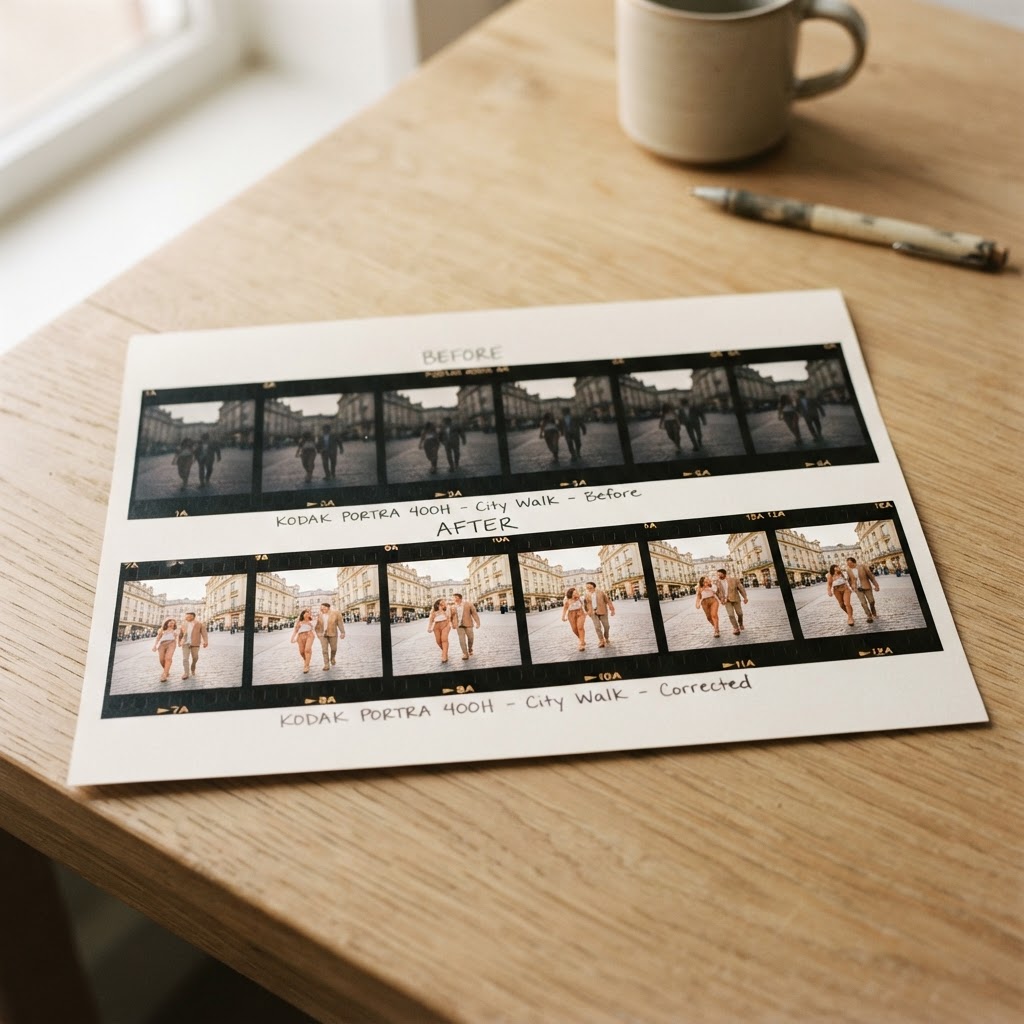
"Lock global adjustments first—consistent foundations make every subsequent retouch predictable and fast."
A repeatable retouch checklist (skin, eyes, teeth, hair)
Keep a concise retouch checklist you follow for every face to maintain consistency and speed. Use this numbered workflow:
- Assess and apply gentle frequency separation or skin smoothing for texture only.
- Brighten and sharpen the eyes; reduce red and enhance catchlights.
- Whiten teeth selectively, avoiding a fake look.
- Tidy stray hair and smooth flyaways, respecting hairline detail.
- Remove small blemishes and balance skin tone with subtle dodge/burn.
- Final global color match to the preset and export a proof sample.
Run through the list quickly and consistently for each subject to keep the set cohesive.
Batch processing tools and non-destructive workflows
Use batch processing to save hours: sync edits in Lightroom, apply Photoshop actions, or use smart objects for repeated composites. Always work non-destructively—use virtual copies, adjustment layers, and smart filters so you can tweak global settings later without redoing work.
Recommended tools and practices:
- Lightroom sync settings and auto-sync for quick color/effect propagation.
- Photoshop actions and smart objects for repeatable retouch steps.
- Export presets for consistent sizing and sharpening across deliverables.
Quality control: spot checks and client samples
Do systematic QC by spot-checking 10% of images across the entire set, focusing on faces from different lighting groups. Create a 6–12 image client sample gallery that represents each look and send via your chosen proofing software for photographers so clients can approve final tone and retouch level.
Finish with one final pass comparing samples side-by-side; if any image drifts, adjust the global preset and re-sync to maintain uniformity throughout the headshot photography workflow.
Proofing and client selections
Choose a proofing method: galleries, PDFs, or proofing apps
Choose a method that minimizes clicks and interpretation for corporate clients. Use web galleries for quick visual scanning, PDFs for board approvals, and dedicated proofing software for photographers when you need voting, favorites, and export-ready files.
Keep options simple:
- Galleries = fast, visual, interactive.
- PDFs = printable, formal, familiar to execs.
- Proofing apps = structured choices, audit trail, and batch export.
Pick the proofing method that reduces decision friction: fewer visible options, clear favorites, and one-click confirmations cut selection time drastically.
Design selection galleries for clarity (numbering, captions, tags)
Number every image so clients can refer to exact picks without ambiguity. Add concise captions with outfit or retouch notes, and apply searchable tags like "final", "needs retouch", or department name.
Use a clean layout and show small groups (3–6 variations) per pose so selections feel manageable and comparable.
Set selection windows, response deadlines, and revision limits
Set firm response deadlines and communicate them up front to avoid project drift. Offer a standard selection window (e.g., 7–14 days) and state how many free revisions or swaps you include.
Place a reminder schedule into your proofing tool: initial invite, mid-window nudge, and final deadline alert. Enforce limits politely—clearly note additional fees for late changes or extra rounds.
Communicating licensing, usage, and pricing clearly to avoid confusion
Lead with a simple sentence: state what uses are included and what costs extra using plain language. Provide a short bullet list showing permitted uses, restrictions, and pricing tiers so legal questions don’t delay approvals.
Suggested checklist to include in proofs:
- Usage scope (web, internal, external, print)
- Duration (perpetual vs. time-limited)
- Geographic rights (local, national, global)
- Additional fees for extended or exclusive rights
Be explicit about deliverables and timelines so clients can sign off quickly and you keep the headshot photography workflow moving.
Delivery, archiving, and client handoff
Final file formats, sizing, and consistent naming conventions
Deliver both web-ready and print-ready files to meet client expectations immediately. Provide a minimum of:
- high-res JPEG (print), flattened TIFF or PSD (master), and a web-sized JPEG/PNG (online).
Use color profiles intentionally: sRGB for web, AdobeRGB/ProPhoto for print masters.
Name files with a predictable schema so retrieval stays fast: Client_LastName_ProjectDate_RetouchLevel (e.g., Smith_20260715_Final). Embed IPTC metadata and keywords tied to the corporate account for future searches. A clean naming convention reduces confusion during team rollouts and renewals.
Deliver both web-ready and print-ready versions while keeping a lossless master and clear license terms—this protects you and makes the handoff frictionless.
Secure delivery options and contracts for final images
Always send images through secure, trackable channels to protect both parties. Use platforms like like.photos or other proofing software for photographers that offer expiring links, download logs, and password protection. Provide low-res watermarked proofs for initial review and swap to final files only after license/fee fulfillment.
Attach or link to a short delivery packet that includes the invoice, usage license, and signed release. State delivery terms (turnaround, permitted uses, and archiving window) in the contract to avoid later disputes and streamline corporate approvals.
Long-term archiving and retrieval process
Keep a multi-layer backup strategy: local RAID or NAS, an offsite/cloud copy, and an air-gapped cold master. Verify backups periodically and record checksums or version numbers to prevent silent corruption.
Set and communicate a retention policy—commonly 3–5 year active retrieval with longer-term cold storage options as paid add-ons. Catalog selects with searchable tags tied to the client account for fast retrieval during renewals.
Cross-sell opportunities: team packs, retouch add-ons, and renewals
Offer clear add-ons at handoff to increase lifetime value. Examples:
- Discounted team packs for additional employees.
- Batch headshot editing or targeted deluxe retouch upgrades following your headshot retouching checklist.
- Scheduled renewals or refresh sessions for employee turnover.
Include simple ordering links in the delivery email and let client photo proofing choices trigger automated upsell emails—small, timely offers convert best.
For the next step in this workflow, read How to Get Clients to Choose Their Photos Faster and Lightroom Client Selection Workflow: Find Picks by Filename.
Conclusion and next steps (plus a soft CTA)
Quick workflow recap and three immediate actions you can implement
Keep your headshot photography workflow focused on speed, consistency, and clear client choices.
Prioritize these 3 actions to cut selection time and improve client turnaround:
- Automate initial culling with presets or AI to remove obvious rejects.
- Push a tight proof set (10–20 per person) to clients for faster decisions.
- Deliver final retouch guidelines and filenames so your team and clients stay aligned.
Streamline selection by sending fewer, better options — clients choose faster and you edit less.
Downloadable checklist and shot-list templates to use on your next corporate job
Grab ready-to-use assets so you don’t start from scratch on day one.
Included items should be a checklist, a one-page shot-list, and a client-facing selection guide.
- Pre-shoot checklist: lighting, backgrounds, wardrobe notes, consent forms.
- On-set shot-list: poses, angles, and priority frames per subject.
- Client selection guide: default crop, retouch level, and filename examples.
Use these templates to standardize handoffs and reduce follow-up emails.
Try a simpler proofing path — why a focused tool like like.photos can speed selections without the complexity of full-suite solutions
Choose tools that match the decision: simple, fast, and unambiguous.
A focused proofing software for photographers reduces choice paralysis and keeps clients on-task.
- Clients tap favorites (hearts), so you get clear, actionable selections.
- Photographers receive exact filenames, removing guesswork in delivery.
- Less setup and fewer features mean quicker client adoption and faster approvals.
Final takeaway: implement the three quick actions, use the templates to standardize your process, and try a lightweight proofing path to dramatically reduce selection time — consider testing like.photos to simplify client choices and speed approvals.